← All 13 modules
02 · Oversite module
RAMS and permits
Build a RAMS from a template or upload the contractor’s own. Score every hazard, flag the permits it needs and see which operatives have signed.
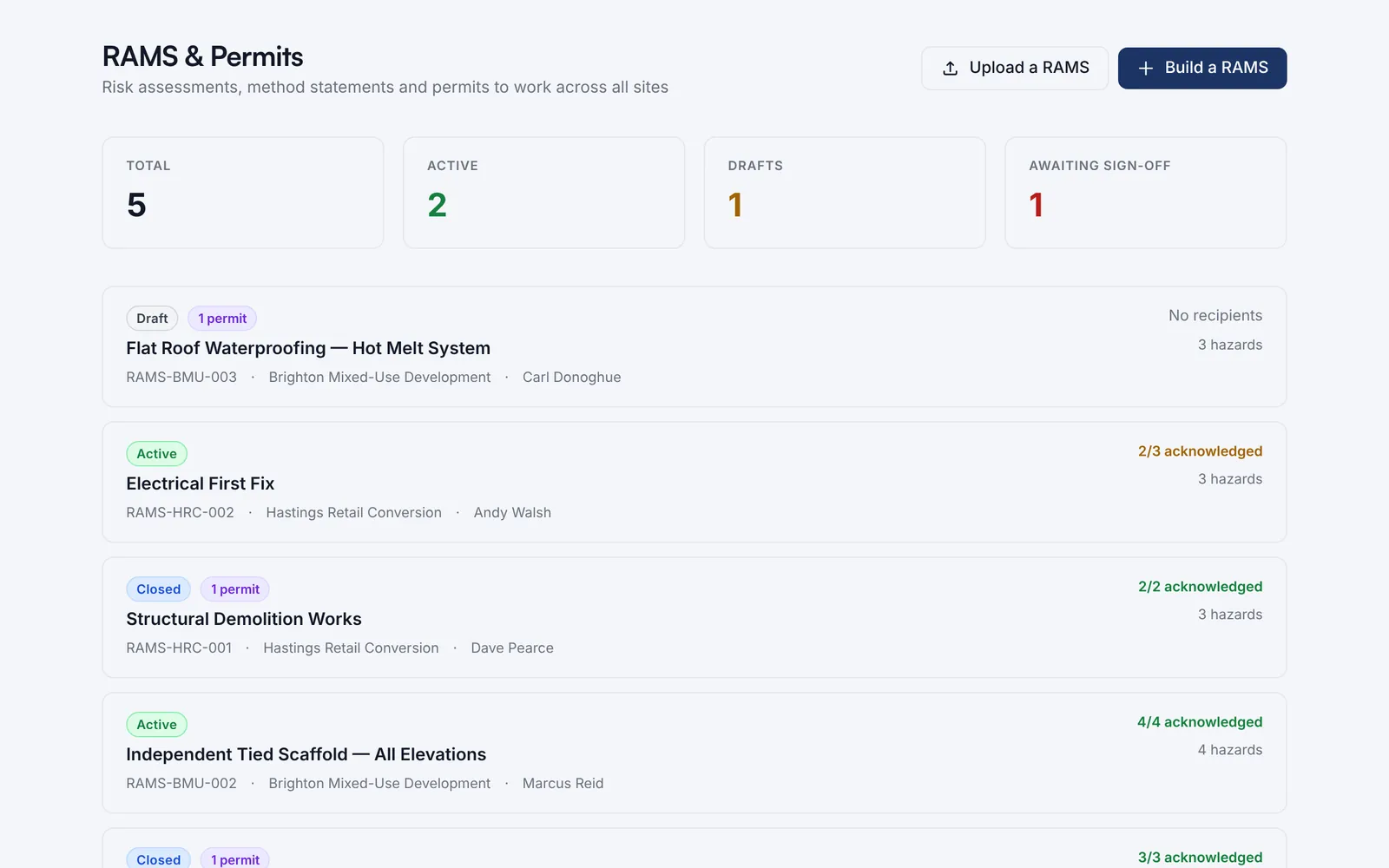
Every RAMS across your sites in one list, with its status, permits, hazards and how many operatives have signed.
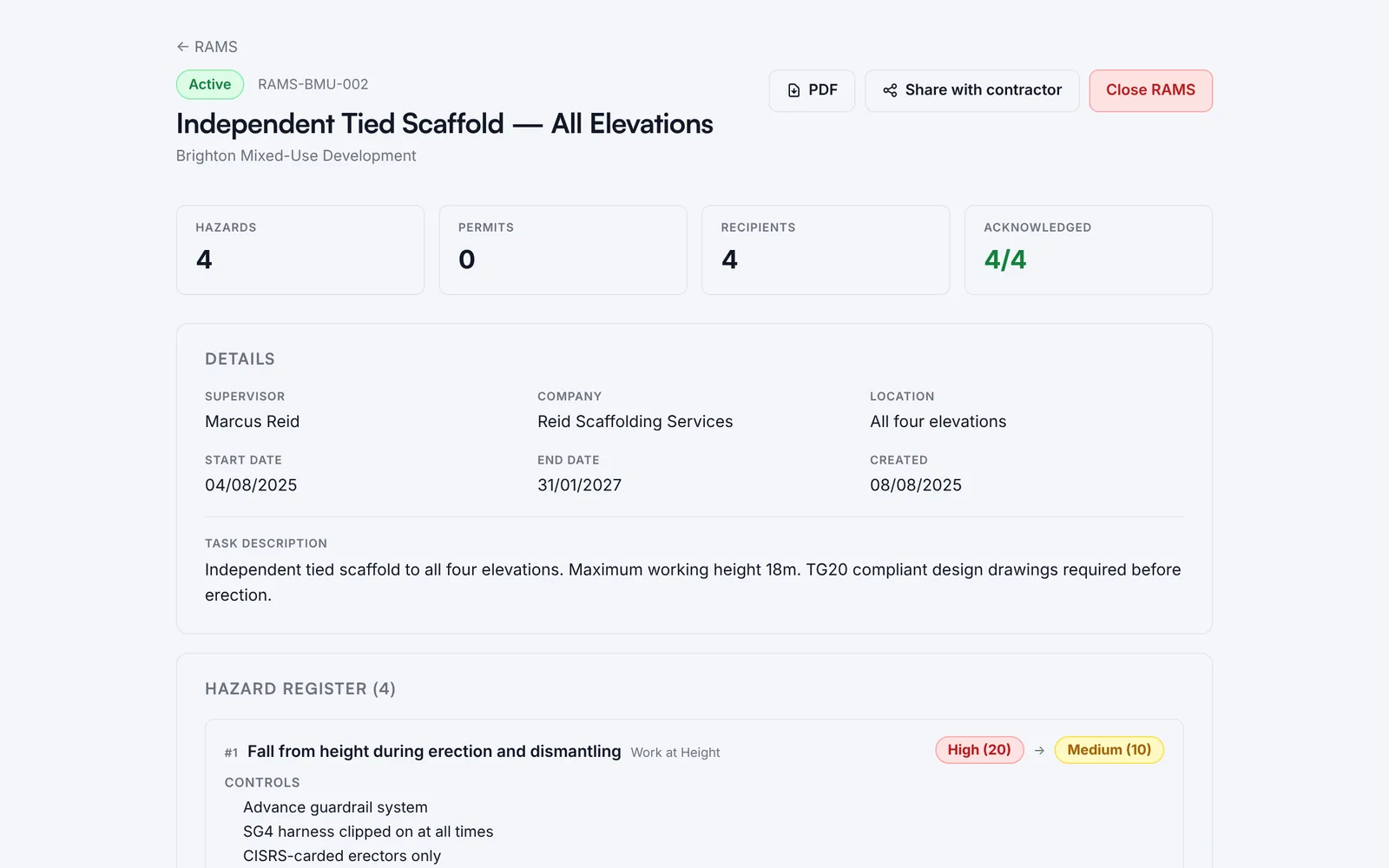
Each hazard is scored before and after its controls, with the PPE listed. You can see at a glance who has acknowledged it.
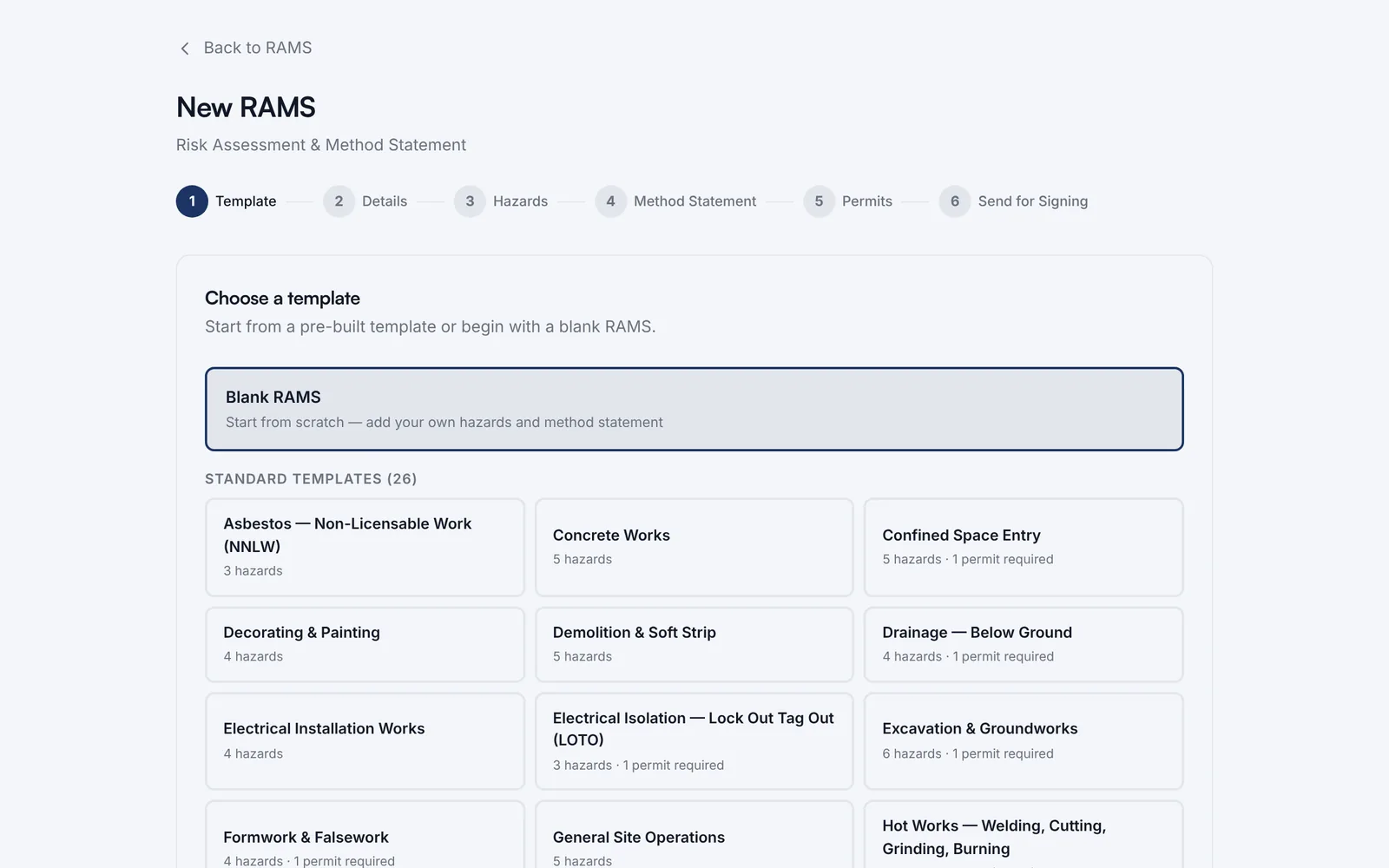
Start from a standard template or a blank page. Six steps take you from template to sending it for signing, and templates that need a permit say so.
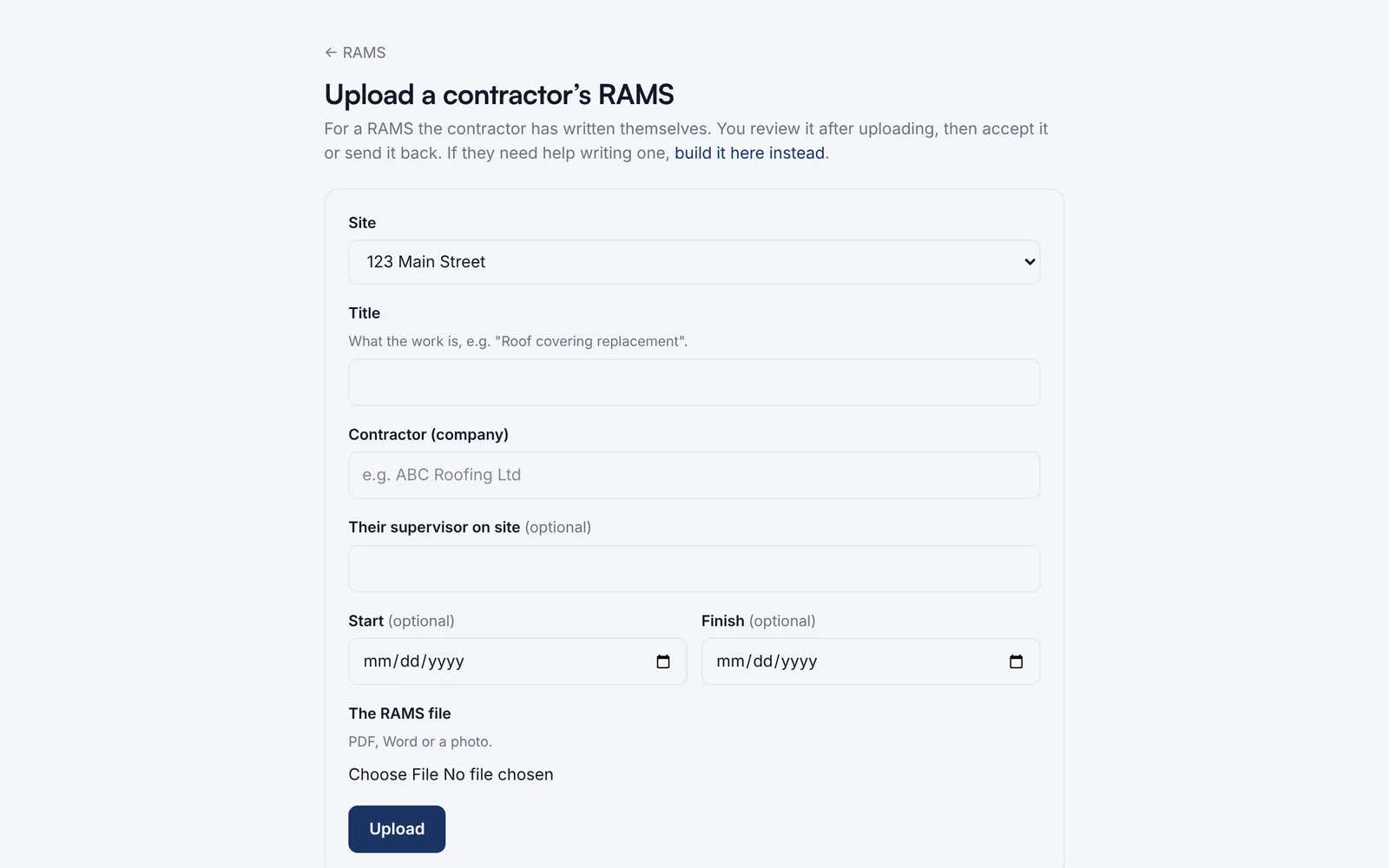
Got the contractor’s own RAMS? Upload it as it is (PDF, Word or a photo), then accept it or send it back.
Watch it work · no sound
RAMS and permits in 4 steps
- Every RAMS across your sites, in one list
- Open one to see the detail
- Each hazard scored before and after controls
- And who has signed it